
The Demo: what you can play, and when
Still free after the full launch. Steam still lists demo app 2959440 with an Install Demo button. Frozen Way’s 31 August 2026 post first called it live. The 2026 tips below come from player recordings reviewed on 5 September, not our own hands-on testing.
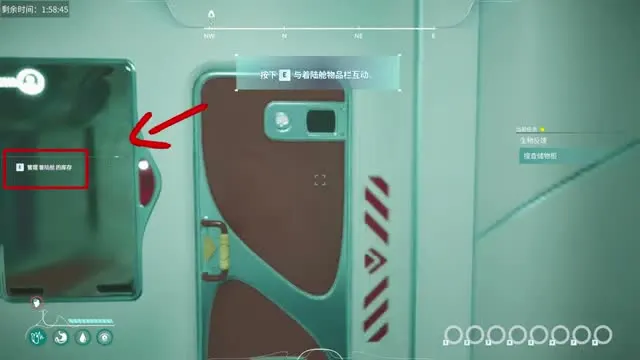
How we got here
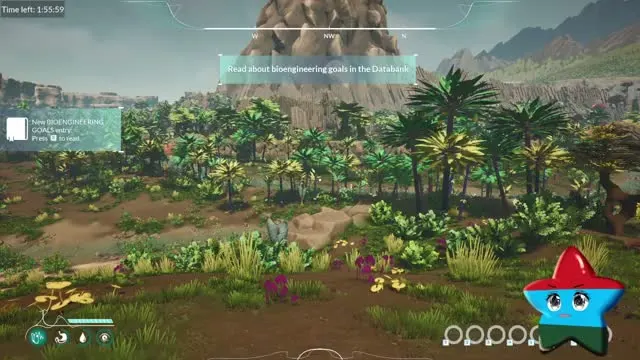
How long is the demo?
A later official post says each session ends after 2 hours of playtime or a specific main-quest milestone, whichever comes first; starting a new game resets the timer. The 31 August studio copy still describes about one hour of play (land, first resources, basic base-building, bioengineering tools). That description is not the same as the session countdown: the frame above has nearly two hours remaining. GrauesHaar’s 2026 recording also reports a roughly two-hour session and reaches zero. These recordings do not establish a universal timer promise for every demo version, setting or future update. Official source: Play the Demo Now.
2024 demo vs 2026 demo
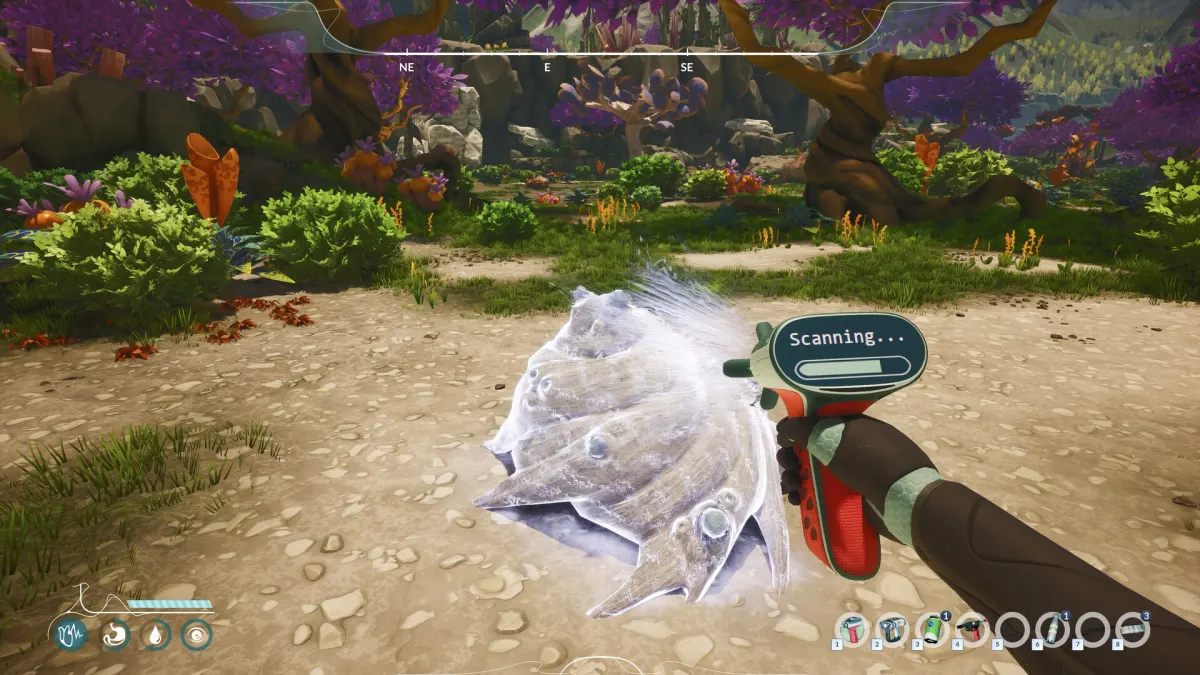
Evidence boundary: the short 2026 notes below are player recordings (L2), not site hands-on testing. The separate 2024 archive remains historical. Neither is a verified guide to the full release.
2026 starter notes — from player recordings
Local material reviewed 5 September 2026. These pointers follow Chicken man’s demo tutorial, with tool and base observations also reported in GrauesHaar’s long play. Follow your on-screen prompts if your controls differ.
- Take the painkillers and scanner from the landing pod. Equip the scanner in an active hotbar slot; holding the left mouse button scans a target.
- Chicken man uses M for the map and T for AR highlights. Follow the Titanium task markers, craft a harvesting tool at the pod fabricator, then equip it. Carrying a tool in inventory is not the same as holding it.
- Pin the requested building blueprints with Q so their material lists stay visible. Use the live blueprint for ingredients and amounts, not a 2024 recipe list.
- Choose a base site near water. Place equipment inside the pump’s water-supply range and the wind turbine’s power range; nearby is not enough if it is outside the shown radius.
- Storage beside the fabricator supplies materials in these recordings. Check placement and the fabricator’s available materials before gathering a second batch.
- The hoverboard is crafted in Chicken man’s run, then toggled with V. Some harvests require a completed growth timer; check readiness before assuming the plant is broken.
Not a complete beginner walkthrough: exact recipes, the entire quest chain, tutorial bug fixes and save carry-over remain unverified here. Journal-key transcriptions differ from old footage, so use the prompt shown in your build.
2024 Next Fest demo — field notes (historical)
Logged 30 August 2026 from public playthroughs. Treat every line as the June 2024 build, not the live Steam demo and not 1.0.
Gamescom 2025 hands-on is a later showcase build. Do not mix it into the 2024 notes — see the separate box below.
First hour in that 2024 build (historical)
Journal “Guide to Success” text read on several videos. Most Survival runs stalled on steps 1–2.
- Craft basic tools from Titanium at the pod fabricator.
- Gather resources and plants with those tools.
- Eat juicy fruit for thirst.
- Build near water; hook up water and power.
- Turn plant products into samples.
- Craft an Analyzer to study alien life.
- Later: Grow Bed / Grow Pod for plant experiments.
Controls seen on video (historical)
Player-inferred recipes — historical, not 2026
These pairings were read off the 2024 fabricator or pieced together by players. They are not a 2026 crafting table. We will keep, strike or replace each line after we play the live demo.
West fossil shore — the only 2024 “quest”
Logged from Jurassic Acid’s bone-site video and matching footage (GDP Duncan). Historical Next Fest steps, not a 2026 walkthrough.
- Craft the Trowel, Pruner and Chisel.
- Sleep in the pod until the west fossil-shoreline alert fires.
- Nights are very dark. The light stick and Viper hoverboard could not be used together in that build.
- The hoverboard could not cross deep water. Current could be disabled in settings.
- Copper and Obsidian sit on the route; overweight players dumped loot.
- Landmark: giant ribs / bone site, odd stone placement, a man-made object, sometimes a silver container that unlocked a can.
- After that, the demo stopped handing new objectives.
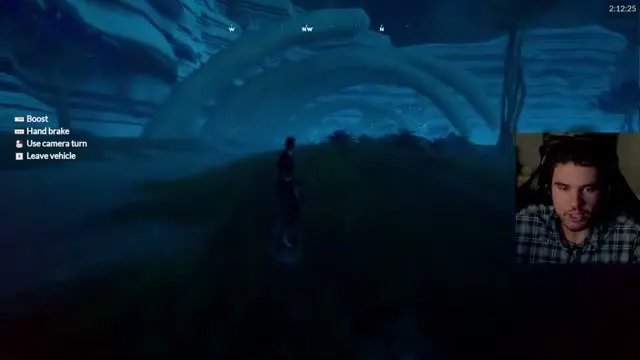
Gamescom 2025 showcase — not the 2024 demo, not verified in 2026. Auto-selects the right tool on a target. Plant growth, fruit, rotting. Wildlife camera then a befriend recipe (developer wording: befriend, not tame). Hoverboard described as a late unlock, not a pod starter. Onboarding was being rebuilt; the booth build used showcase tasks only. We will check which of these landed in the live Steam demo.
What we will re-check in the 2026 demo
The current comparison now includes cited 2026 recordings for tools, the hotbar, the crafted hoverboard and a session timer. This site has not played app 2959440. The following checks remain open rather than being marked fixed from video alone.
- Confirm the exact tool names, recipe quantities and equipment behavior in the installed build.
- Does the tutorial teach fiber and drinking water?
- Check hoverboard unlock requirements and whether demo saves carry over.
- Assess night lighting, controls and encumbrance hands-on.
- Does sleeping still send you west to a fossil shoreline?
- Check timer behavior across settings and saves; can the available session finish a working lab?
- Open the Steam demo page (app 2959440) or the main game page (app 1510440) and use Install Demo.
- It is Windows-only on the current Steam listing. No PS5 or Xbox demo is announced.
- Ignore re-uploads of the 2024 Next Fest build; the studio says this demo is the current game.
CONFIRMED — Steam demo live (app 2959440). Official post 31 August 2026. About one hour of playtime is the studio’s figure.
TO VERIFY AFTER HANDS-ON — save carry-over, tutorial and night-visibility fixes, performance and Steam Deck compatibility. Player footage above establishes observations, not a full-build acceptance test.